
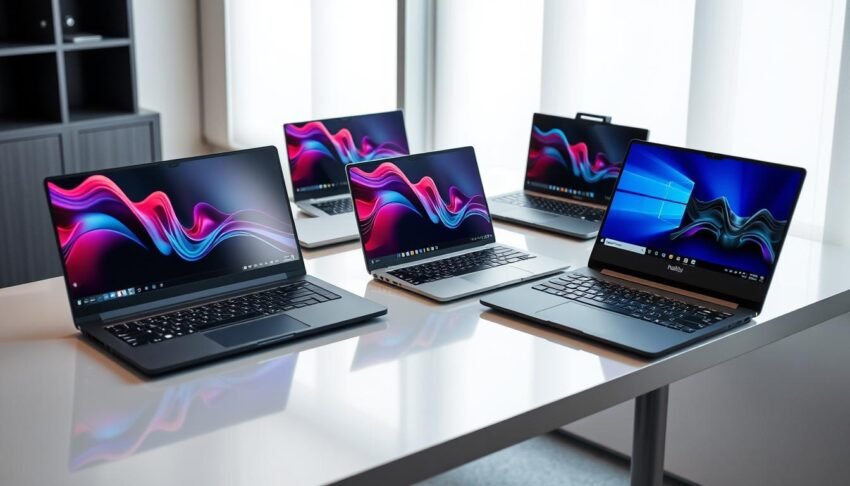
Finding the perfect laptop in 2025’s crowded market can feel overwhelming. With revolutionary AI processors, stunning display technologies, and increasingly blurred lines between ultraportables and powerhouses, choosing the right machine requires careful consideration.
That’s why we’ve tested and reviewed the Best Laptops of 2025, helping you navigate through dozens of models to find the one that perfectly fits your needs. Whether you’re a student, professional, gamer, or creative, our top picks balance performance, portability, and value better than ever before.
How to Choose the Best Laptop in 2025
Before diving into our Best Laptops of 2025 recommendations, let’s explore the key factors to consider when shopping for a laptop this year. The technology landscape has evolved significantly, with several important developments reshaping what you should prioritize.
Key Specifications to Consider
- Processor: Intel Core Ultra Series 2, AMD Ryzen AI 9000 series, or Apple M4/M5 chips offer the best balance of performance and efficiency.
- RAM: 16GB is now the minimum standard, with 32GB recommended for future-proofing and AI tasks.
- Storage: 512GB SSD minimum, with 1TB preferable for most users. PCIe Gen 5 drives offer the fastest speeds.
- Display: Look for OLED or mini-LED panels with at least 120Hz refresh rates for the best visual experience.
- Battery Life: Expect 12+ hours from ultraportables and 6-8 hours from high-performance machines.
- Connectivity: Wi-Fi 7 support, Thunderbolt 5, and USB4 ensure compatibility with the latest peripherals.
2025’s Most Important Laptop Trends
- AI Integration: On-device NPUs (Neural Processing Units) with 45+ TOPS performance are now standard on premium models.
- Sustainable Materials: Eco-friendly components and repairability have become major selling points.
- Advanced Displays: Tandem OLED and micro-LED technologies offer unprecedented brightness and efficiency.
- Cooling Innovations: Vapor chamber cooling and liquid metal thermal solutions enable thinner designs with better performance.
- Enhanced Security: Hardware-level security features protect against increasingly sophisticated threats.
- Improved Webcams: 1080p is now the minimum standard, with many laptops featuring 4K options with AI enhancement.

Understanding Laptop Classes in 2025
The traditional categories of laptops have evolved significantly. Here’s a quick overview of what to expect:
- Ultraportables: Now offering performance comparable to desktop replacements from just a few years ago, while maintaining 20+ hour battery life.
- Gaming Laptops: Thinner than ever with RTX 5000-series GPUs that support advanced ray tracing and AI frame generation.
- Creator Laptops: Specialized machines with color-accurate displays and powerful GPUs optimized for creative applications.
- Business Laptops: Enhanced security features, comprehensive connectivity, and enterprise management capabilities.
- Budget Options: Even affordable laptops now offer all-day battery life and capable performance for everyday tasks.
Best Overall Laptop of 2025

Apple MacBook Air (M4, 2025)
The MacBook Air continues its reign as the best overall laptop in 2025, with Apple’s M4 chip delivering exceptional performance and battery life in a sleek, silent package. The latest model addresses previous limitations with improved external display support (now handling two 4K monitors simultaneously) and introduces Apple’s advanced AI capabilities through dedicated neural engine cores.
The M4 MacBook Air comes in both 13.6-inch and 15.3-inch sizes, with the base model now starting with 16GB of RAM—a welcome upgrade that ensures smooth performance even with multiple applications running. The fanless design means completely silent operation, while battery life extends beyond 20 hours of real-world use.
Pros
- Exceptional battery life (20+ hours)
- Powerful M4 chip handles demanding tasks with ease
- Silent, fanless design
- Improved external display support
- High-quality 12MP webcam
- 16GB RAM standard on base model
Cons
- Limited port selection
- Storage upgrades are expensive
- No touchscreen option
- Display still uses LCD rather than OLED
The MacBook Air M4 strikes an impressive balance between performance, portability, and battery life that’s unmatched by any other laptop. While it’s not a gaming powerhouse, it handles creative tasks surprisingly well thanks to its improved integrated graphics. For most users, this represents the ideal combination of features at a reasonable price point.
| Specification | Details |
| Processor | Apple M4 (8-core CPU, 10-core GPU) |
| Memory | 16GB unified memory (configurable to 32GB) |
| Storage | 256GB SSD (configurable up to 2TB) |
| Display | 13.6-inch Liquid Retina (2560 x 1664) or 15.3-inch (2880 x 1864) |
| Battery Life | Up to 22 hours |
| Weight | 2.7 lbs (13-inch) / 3.3 lbs (15-inch) |
| Ports | 2x Thunderbolt 4, 3.5mm headphone jack, MagSafe charging |
Ideal for: Students, professionals, content creators, and anyone who values battery life, performance, and portability in a premium package.
Best Windows Laptop of 2025

Asus Zenbook S 16 (2025)
The Asus Zenbook S 16 represents the pinnacle of Windows laptop engineering in 2025. Powered by AMD’s Ryzen AI 9 processor, this premium ultraportable delivers exceptional performance while maintaining impressive battery life. The standout feature is Asus’s innovative Ceraluminum chassis—a hybrid of ceramic and aluminum that provides incredible durability while keeping the laptop remarkably lightweight at just 3.4 pounds.
The 16-inch 2.8K OLED display is nothing short of stunning, with 120Hz refresh rate, 100% DCI-P3 color coverage, and VESA DisplayHDR True Black 500 certification. Despite its large screen size, the Zenbook S 16 maintains a slim profile that makes it surprisingly portable for a 16-inch laptop.
Pros
- Powerful AMD Ryzen AI 9 processor
- Gorgeous 16-inch 120Hz OLED display
- Innovative Ceraluminum chassis is both lightweight and durable
- Excellent 14+ hour battery life
- Comprehensive port selection
- 24GB RAM standard configuration
Cons
- Premium price point
- No discrete GPU option
- Limited configuration options
- Fans can get loud under heavy load
What truly sets the Zenbook S 16 apart is its balance of performance, display quality, and battery life in a package that remains portable despite its large screen. The AMD Ryzen AI processor handles everything from productivity tasks to creative workloads with ease, while the integrated Radeon graphics can even handle light gaming.
| Specification | Details |
| Processor | AMD Ryzen AI 9 365 |
| Memory | 24GB LPDDR5X |
| Storage | 1TB PCIe 4.0 NVMe SSD |
| Display | 16-inch 2.8K (2880 x 1800) OLED, 120Hz |
| Battery Life | Up to 14 hours |
| Weight | 3.4 lbs |
| Ports | 2x USB-C 4.0, 1x USB-A 3.2, HDMI 2.1, 3.5mm audio jack |
Ideal for: Professionals, content creators, and power users who want a premium Windows experience with a large, high-quality display without sacrificing portability.
Best Gaming Laptop of 2025

Razer Blade 16 (2025)
The Razer Blade 16 (2025) redefines what’s possible in a gaming laptop, packing unprecedented power into a chassis that’s remarkably thin at just 0.59 inches. Equipped with NVIDIA’s flagship RTX 5090 GPU and AMD’s Ryzen AI 9 HX 370 processor, this machine delivers desktop-class gaming performance in a portable package.
What sets the 2025 Blade 16 apart is its advanced cooling system that allows for sustained performance without thermal throttling, despite the thin profile. The 16-inch OLED display with 240Hz refresh rate and 2560 x 1600 resolution provides an immersive gaming experience with vibrant colors, deep blacks, and minimal motion blur.
Pros
- Exceptional gaming performance with RTX 5090
- Remarkably thin (0.59″) for a high-performance gaming laptop
- Stunning 16-inch OLED display with 240Hz refresh rate
- Advanced cooling system prevents thermal throttling
- Premium CNC aluminum unibody construction
- Improved keyboard with 1.5mm key travel
Cons
- Very expensive
- Battery life is mediocre (5-6 hours for non-gaming tasks)
- Can run hot under sustained load
- Limited upgradeability
The Blade 16’s multi-frame generation technology uses AI to generate artificial frames between rendered frames, dramatically boosting frame rates while maintaining visual quality. This allows for ray-traced gaming at high frame rates, even at the display’s native resolution. The laptop also features a comprehensive port selection, including Thunderbolt 5, HDMI 2.1, and a UHS-II SD card reader.
| Specification | Details |
| Processor | AMD Ryzen AI 9 HX 370 |
| Graphics | NVIDIA GeForce RTX 5090 (16GB GDDR7) |
| Memory | 32GB DDR5-6400 |
| Storage | 2TB PCIe Gen 5 NVMe SSD |
| Display | 16-inch OLED, 2560 x 1600, 240Hz |
| Battery Life | Up to 6 hours (non-gaming) |
| Weight | 4.9 lbs |
| Ports | Thunderbolt 5, 3x USB-A 3.2, HDMI 2.1, SD card reader, 3.5mm audio |
Ideal for: Serious gamers, content creators, and professionals who need desktop-class performance in a relatively portable package and are willing to pay a premium for cutting-edge technology.
Best Budget Laptop of 2025

Asus Vivobook 14 Copilot+ PC (X1407QA)
The Asus Vivobook 14 Copilot+ PC represents a significant shift in what’s possible in the budget laptop segment. Powered by Qualcomm’s entry-level Snapdragon X processor, this affordable machine delivers exceptional battery life and solid everyday performance at a price point that was previously unimaginable for a Copilot+ certified laptop.
While the Vivobook 14 makes some compromises to hit its attractive price point—most notably in display quality—it excels where it matters most for budget-conscious users: reliability, battery life, and adequate performance for everyday tasks. The 16GB of RAM and 512GB of storage are particularly impressive at this price point, ensuring the laptop remains usable for years to come.
Pros
- Exceptional battery life (17+ hours)
- Affordable Copilot+ PC certification
- Generous 16GB RAM and 512GB storage
- Solid keyboard with good travel
- Comprehensive port selection
- Reliable performance for everyday tasks
Cons
- Subpar display with poor color accuracy
- Mediocre build quality
- Limited performance for demanding tasks
- Average webcam quality
The Vivobook 14’s Snapdragon X processor delivers adequate performance for web browsing, document editing, and media consumption, though it struggles with more demanding tasks like video editing or gaming. The real standout feature is the battery life, which can easily last through a full day of work or school with hours to spare.
| Specification | Details |
| Processor | Qualcomm Snapdragon X |
| Memory | 16GB LPDDR5X |
| Storage | 512GB PCIe NVMe SSD |
| Display | 14-inch 1920 x 1200 IPS LCD, 60Hz |
| Battery Life | Up to 17 hours |
| Weight | 3.1 lbs |
| Ports | 2x USB-C, 2x USB-A, HDMI, 3.5mm audio jack |
Ideal for: Students, budget-conscious shoppers, and anyone who prioritizes battery life and basic functionality over premium features or high-performance capabilities.
Best Laptop for Content Creation

Apple MacBook Pro (M4 Pro/Max, 2025)
For professional content creators, the 2025 MacBook Pro with M4 Pro or M4 Max processors represents the pinnacle of mobile workstation performance. Apple’s latest silicon delivers unprecedented power efficiency while handling the most demanding creative workflows with ease. The M4 Max configuration in particular offers performance that rivals desktop workstations in a portable package.
The stunning mini-LED Liquid Retina XDR display continues to be a standout feature, offering exceptional brightness (up to 1600 nits for HDR content), precise color accuracy, and ProMotion 120Hz refresh rate. New for 2025 is the optional nano-texture finish that effectively eliminates glare—a game-changer for professionals working in varied lighting conditions.
Pros
- Exceptional performance for creative workloads
- Stunning mini-LED display with optional nano-texture
- Excellent battery life despite high performance
- Comprehensive port selection including Thunderbolt 5
- Superior build quality and reliability
- Powerful integrated GPU in M4 Max model
Cons
- Very expensive, especially higher configurations
- Limited upgradeability and repairability
- No touchscreen option
- Heavier than competing ultraportables
The MacBook Pro excels in video editing, 3D rendering, and other processor-intensive creative tasks. The M4 Pro offers a significant performance boost over the standard M4, while the M4 Max pushes the envelope even further with additional GPU cores and memory bandwidth. For professionals who depend on their laptop for income-generating work, the MacBook Pro’s combination of performance, display quality, and battery life justifies its premium price.
| Specification | M4 Pro | M4 Max |
| CPU Cores | 12-core | 16-core |
| GPU Cores | 18-core | 40-core |
| Memory | 24GB-48GB | 48GB-128GB |
| Storage | 512GB-8TB | 1TB-8TB |
| Display | 14.2″ or 16.2″ Liquid Retina XDR | 14.2″ or 16.2″ Liquid Retina XDR |
| Battery Life | Up to 18 hours | Up to 15 hours |
| Weight | 3.5 lbs (14″) / 4.7 lbs (16″) | 3.6 lbs (14″) / 4.8 lbs (16″) |
Ideal for: Professional video editors, photographers, 3D artists, audio engineers, and other creative professionals who require maximum performance and are invested in the Apple ecosystem.
Best Business Laptop of 2025

Lenovo ThinkPad X1 Carbon Gen 13 Aura Edition
The Lenovo ThinkPad X1 Carbon continues its legacy as the gold standard for business laptops with the Gen 13 Aura Edition. This latest iteration combines the classic ThinkPad reliability and security features with cutting-edge technology, including Intel’s Core Ultra 7 258V processor optimized for AI workloads and impressive battery efficiency.
What truly sets the X1 Carbon apart is its incredible portability. At just 2.17 pounds and 0.56 inches thick, it’s one of the lightest 14-inch laptops on the market, yet it doesn’t compromise on durability or features. The carbon fiber and magnesium alloy chassis passes MIL-STD 810H durability tests while maintaining a premium feel and professional aesthetic.
Pros
- Incredibly lightweight (2.17 lbs) yet durable
- Exceptional keyboard with perfect tactile feedback
- Gorgeous 2.8K OLED display with 120Hz refresh rate
- Excellent battery life (nearly 20 hours)
- Comprehensive security features
- Wide range of ports despite thin profile
Cons
- Premium price point
- No SD card slot
- Limited graphics performance
- WWAN option not available on all configurations
The ThinkPad X1 Carbon Gen 13 features Lenovo’s legendary keyboard, widely considered the best in the industry, with perfect key travel and tactile feedback. Security features include a match-on-chip fingerprint reader, IR camera for facial recognition, a physical webcam shutter, and a dTPM 2.0 chip for hardware-level security.
| Specification | Details |
| Processor | Intel Core Ultra 7 258V |
| Memory | 32GB LPDDR5X (soldered) |
| Storage | 512GB PCIe Gen 4 SSD |
| Display | 14-inch 2.8K (2880 x 1800) OLED, 120Hz |
| Battery Life | Up to 19.5 hours |
| Weight | 2.17 lbs |
| Ports | 2x Thunderbolt 4, 2x USB-A 3.2, HDMI 2.0, 3.5mm audio |
Ideal for: Business professionals, executives, and frequent travelers who need a reliable, secure, and lightweight laptop with excellent battery life and enterprise management features.
Best 2-in-1 Laptop of 2025

Lenovo Yoga 9i 2-in-1 (14-Inch, 2025)
The Lenovo Yoga 9i continues to set the standard for convertible laptops in 2025, offering an exceptional blend of performance, versatility, and premium features. The latest model features Intel’s Core Ultra 7 processor, which delivers impressive performance for both productivity and creative tasks while maintaining good battery efficiency.
The standout feature remains the 14-inch 2.8K OLED touchscreen display, which offers stunning visual quality with deep blacks, vibrant colors, and a smooth 120Hz refresh rate. The display is complemented by Lenovo’s unique rotating soundbar hinge, which houses powerful Bowers & Wilkins speakers that provide impressive audio quality regardless of which mode the laptop is in.
Pros
- Versatile 360-degree hinge design
- Gorgeous 2.8K OLED touchscreen
- Excellent audio from rotating soundbar
- Included active stylus with 4,096 pressure levels
- Solid performance for productivity and creative tasks
- Premium build quality with aluminum chassis
Cons
- Battery life could be better
- Fans can get loud under load
- Slightly heavier than some competitors
- Limited upgradeability
The Yoga 9i excels as a 2-in-1 device, seamlessly transitioning between laptop, tablet, tent, and stand modes. The included active stylus offers precise input for note-taking, drawing, and other creative tasks. The laptop’s premium aluminum chassis feels solid and durable while maintaining a sleek, modern aesthetic.
| Specification | Details |
| Processor | Intel Core Ultra 7 155H |
| Memory | 16GB LPDDR5X |
| Storage | 1TB PCIe Gen 4 SSD |
| Display | 14-inch 2.8K (2880 x 1800) OLED touchscreen, 120Hz |
| Battery Life | Up to 12 hours |
| Weight | 3.3 lbs |
| Ports | 3x USB-C (2x Thunderbolt 4), 1x USB-A 3.2, 3.5mm audio |
Ideal for: Creative professionals, students, and anyone who values versatility in their computing device, particularly those who frequently use touch input or need to present content in different configurations.
Best Chromebook of 2025

Lenovo Flex 5i Chromebook Plus
The Lenovo Flex 5i Chromebook Plus represents the evolution of Google’s Chromebook Plus initiative, offering performance and features that rival many Windows laptops at a significantly lower price point. Powered by an Intel Core i3-1315U processor, this Chromebook delivers snappy performance for web browsing, productivity applications, and even light creative tasks.
The 2-in-1 design provides versatility, allowing the Flex 5i to function as both a traditional laptop and a tablet. The 14-inch touchscreen offers good color accuracy and brightness for its price range, though it doesn’t match the OLED displays found on premium laptops. The 360-degree hinge feels sturdy and allows for multiple usage modes.
Pros
- Excellent performance for a Chromebook
- Versatile 2-in-1 design
- Impressive battery life (14+ hours)
- Good keyboard and trackpad
- Comprehensive port selection
- Affordable price point
Cons
- Display is good but not great
- Limited offline capabilities
- No stylus included
- ChromeOS limitations for specialized software
As a Chromebook Plus device, the Flex 5i includes access to premium Google services and AI features, including enhanced photo editing tools, Google’s AI writing assistant, and offline file access. The laptop also features a surprisingly good 1080p webcam with privacy shutter, making it excellent for video conferencing and remote learning.
| Specification | Details |
| Processor | Intel Core i3-1315U |
| Memory | 8GB LPDDR4X |
| Storage | 128GB eMMC |
| Display | 14-inch 1920 x 1200 IPS touchscreen, 60Hz |
| Battery Life | Up to 14.5 hours |
| Weight | 3.3 lbs |
| Ports | 2x USB-C, 1x USB-A, microSD card slot, 3.5mm audio |
Ideal for: Students, casual users, and anyone who primarily uses web-based applications and values battery life, simplicity, and affordability over raw performance or specialized software compatibility.
Best Budget Laptop for Students

Apple MacBook Air (M1, 2020)
Despite being over four years old, the M1 MacBook Air remains an exceptional value for students in 2025, especially at its current discounted price point of around $650. Apple’s first-generation M1 chip still delivers performance that easily handles everyday student workloads, from writing papers and creating presentations to browsing the web with dozens of tabs open.
The M1 MacBook Air’s enduring appeal lies in its combination of performance, build quality, and battery life that remains competitive even against newer budget laptops. The fanless design ensures silent operation, while the premium aluminum chassis provides durability that can withstand the rigors of student life.
Pros
- Exceptional value at discounted price
- Still-impressive battery life (15+ hours)
- Silent, fanless design
- Premium build quality
- Excellent keyboard and trackpad
- Retina display with good color accuracy
Cons
- Limited to one external display
- Only two USB-C ports
- 8GB RAM may be limiting for some users
- 720p webcam is dated by 2025 standards
While newer MacBooks offer more features and better performance, the M1 Air hits a sweet spot of affordability and capability that’s perfect for students. The 13.3-inch Retina display provides sharp text and good color accuracy for note-taking, research, and media consumption. The legendary Apple trackpad remains one of the best in the industry, and the Magic Keyboard offers a comfortable typing experience for long writing sessions.
| Specification | Details |
| Processor | Apple M1 (8-core CPU, 7-core GPU) |
| Memory | 8GB unified memory |
| Storage | 256GB SSD |
| Display | 13.3-inch Retina (2560 x 1600) |
| Battery Life | Up to 15 hours |
| Weight | 2.8 lbs |
| Ports | 2x Thunderbolt 3/USB 4, 3.5mm headphone jack |
Ideal for: Students on a budget who need a reliable, long-lasting laptop for everyday tasks like writing papers, research, and media consumption, particularly those already in the Apple ecosystem.
Comparison: Best Laptops of 2025
To help you quickly compare our top picks, we’ve created this comprehensive comparison table highlighting the key specifications and features of each laptop. This should make it easier to identify which model best suits your specific needs and budget.
| Laptop | Processor | Graphics | RAM | Display | Battery Life | Weight | Best For | Price Range |
| MacBook Air (M4) | Apple M4 | 10-core integrated | 16GB-32GB | 13.6″/15.3″ Liquid Retina | 22 hours | 2.7-3.3 lbs | Everyday use, students, professionals | $999-$1,899 |
| Asus Zenbook S 16 | AMD Ryzen AI 9 365 | Radeon integrated | 24GB | 16″ 2.8K OLED 120Hz | 14 hours | 3.4 lbs | Windows power users, content creators | $1,150-$1,800 |
| Razer Blade 16 | AMD Ryzen AI 9 HX 370 | NVIDIA RTX 5090 | 32GB | 16″ 2.5K OLED 240Hz | 6 hours | 4.9 lbs | Gaming, content creation | $3,000-$3,500 |
| Asus Vivobook 14 | Qualcomm Snapdragon X | Adreno integrated | 16GB | 14″ 1920×1200 IPS | 17 hours | 3.1 lbs | Budget users, students | $650-$750 |
| MacBook Pro (M4) | Apple M4 Pro/Max | Up to 40-core integrated | 24GB-128GB | 14.2″/16.2″ mini-LED | 15-18 hours | 3.5-4.8 lbs | Professional content creation | $1,999-$3,999 |
| ThinkPad X1 Carbon | Intel Core Ultra 7 258V | Intel Arc 140V | 32GB | 14″ 2.8K OLED 120Hz | 19.5 hours | 2.17 lbs | Business professionals | $1,800-$2,500 |
| Lenovo Yoga 9i | Intel Core Ultra 7 155H | Intel Arc integrated | 16GB | 14″ 2.8K OLED 120Hz | 12 hours | 3.3 lbs | Versatility, creative work | $1,270-$1,450 |
| Flex 5i Chromebook Plus | Intel Core i3-1315U | Intel UHD | 8GB | 14″ 1920×1200 IPS | 14.5 hours | 3.3 lbs | Web-based work, students | $399-$599 |
| MacBook Air (M1) | Apple M1 | 7-core integrated | 8GB | 13.3″ Retina | 15 hours | 2.8 lbs | Students, budget users | $649-$799 |
Need Help Choosing the Right Laptop?
Still unsure which laptop is right for you? Our comprehensive laptop buying guide provides detailed information on all the key factors to consider when making your purchase decision.
Emerging Laptop Innovations in 2025
The laptop market continues to evolve at a rapid pace, with several exciting innovations appearing in 2025 models. Here are some of the most significant technological advancements to watch:
Advanced Display Technologies

Tandem OLED technology is revolutionizing laptop displays by stacking multiple OLED layers, resulting in significantly improved brightness and energy efficiency. Meanwhile, micro-LED displays are beginning to appear in premium laptops, offering perfect blacks, exceptional brightness, and no risk of burn-in. These advances are particularly beneficial for HDR content creation and consumption.
AI Acceleration Hardware

Dedicated Neural Processing Units (NPUs) with 45+ TOPS performance are now standard in premium laptops, enabling on-device AI tasks without cloud processing. These NPUs power features like real-time video enhancement, intelligent noise cancellation, adaptive performance optimization, and sophisticated content creation tools that would previously require powerful workstations.
Advanced Cooling Solutions

Vapor chamber cooling technology has become more prevalent, allowing for thinner laptops with better thermal performance. Liquid metal thermal compounds are now used in mainstream laptops, not just gaming models, providing superior heat transfer. These cooling innovations enable sustained performance in increasingly thin form factors.
Sustainable Materials

Manufacturers are increasingly using recycled aluminum, ocean-bound plastics, and bio-based materials in laptop construction. Framework’s modular design philosophy has influenced the industry, with more brands offering user-replaceable components to extend device lifespan. These sustainability initiatives are becoming major selling points for environmentally conscious consumers.
Advanced Connectivity

Wi-Fi 7 support is becoming standard, offering theoretical speeds up to 46 Gbps and significantly reduced latency. Thunderbolt 5 doubles the bandwidth of Thunderbolt 4 to 80 Gbps (up to 120 Gbps in display-intensive scenarios), enabling multiple 8K displays and faster external storage. These connectivity advances future-proof laptops for upcoming peripherals and networking standards.
Quantum Dot Technology

Quantum dot technology is being integrated into laptop displays to enhance color accuracy and gamut coverage. This technology allows LCD panels to approach OLED-level color performance while maintaining higher brightness and avoiding burn-in issues. For content creators, these displays offer 100% coverage of professional color spaces like Adobe RGB and DCI-P3.
The Future of Laptop Technology
Looking beyond 2025, several emerging technologies promise to further transform the laptop experience:
- Foldable Displays: Dual-screen and flexible display laptops are becoming more refined, offering new form factors and use cases.
- Ambient Computing: Laptops that seamlessly integrate with other devices in your ecosystem, automatically sharing content and context.
- Advanced Biometrics: Beyond fingerprints and facial recognition, laptops will incorporate continuous authentication through behavioral patterns.
- Quantum Computing Elements: While full quantum computers remain specialized equipment, hybrid classical-quantum processors may begin appearing in high-end workstations.
- Holographic Interfaces: Early implementations of spatial computing interfaces that project information into 3D space around the laptop.
Essential Buying Tips for Finding the Best Laptops of 2025
Future-Proofing Your Purchase
- Prioritize RAM: 16GB is now the minimum for Windows and Mac laptops, with 32GB recommended for future-proofing. RAM upgrades are often impossible after purchase.
- Consider AI Capabilities: NPUs with at least 40 TOPS performance ensure compatibility with current and upcoming AI features.
- Check Connectivity Standards: Thunderbolt 5/USB4 v2 and Wi-Fi 7 support will extend your laptop’s relevance.
- Battery Health Features: Look for intelligent charging limits and battery health management to extend battery lifespan.
- OS Support Timeline: Research how long your chosen laptop will receive OS updates and security patches.
Sustainability Considerations
- Repairability Scores: Check iFixit or manufacturer repairability ratings to understand how easily components can be replaced.
- Recycled Materials: Many manufacturers now specify the percentage of recycled materials used in construction.
- Energy Efficiency: Look for ENERGY STAR certification and low power consumption figures.
- Packaging: Some manufacturers have moved to plastic-free, recyclable packaging.
- Trade-In Programs: Research manufacturer trade-in programs that ensure proper recycling of your old device.

Performance Considerations
- Benchmark Realistically: Consider real-world performance for your specific tasks rather than synthetic benchmarks.
- Thermal Design: Thin laptops often throttle under sustained loads; research thermal performance if you need consistent power.
- Storage Speed: PCIe Gen 4 or Gen 5 SSDs offer significantly better performance than older standards.
- Display Response Time: Important for gaming and fast-moving content; look for 5ms or lower.
- Integrated vs. Discrete Graphics: Modern integrated GPUs are surprisingly capable for everything except serious gaming and professional 3D work.
Practical Considerations
- Keyboard Quality: If you type extensively, prioritize keyboards with good travel and tactile feedback.
- Webcam Resolution: 1080p should be the minimum standard for regular video conferencing.
- Audio Quality: Often overlooked but crucial for video calls and media consumption.
- Weight Distribution: A well-balanced laptop feels lighter and is more comfortable to use on your lap.
- Warranty Options: Consider extended coverage for premium laptops, especially if you travel frequently.
Frequently Asked Questions About Buying Laptops in 2025
Is it worth paying extra for a Copilot+ PC certification?
Copilot+ PC certification ensures your laptop has sufficient AI processing power (at least 40 TOPS) for current and near-future AI features. While the immediate benefits vary depending on your workflow, these machines typically offer excellent battery life and performance. If you plan to keep your laptop for several years, the certification helps future-proof your purchase as more AI features become available.
How important is the processor generation when buying a laptop in 2025?
Processor generation remains important, but the performance gap between generations has narrowed. For Intel, Core Ultra Series 2 offers significant efficiency improvements over Series 1. For AMD, the Ryzen AI 9000 series provides excellent performance and AI capabilities. Apple’s M4 chips deliver substantial gains over M3. However, previous-generation chips (like Apple’s M1) can still provide excellent performance for everyday tasks at lower prices.
Should I still consider a gaming laptop if I’m not primarily a gamer?
Gaming laptops can be excellent choices for content creators, engineers, and anyone who needs powerful graphics processing. Modern gaming laptops are more refined than ever, with many offering professional aesthetics and reasonable battery life when not gaming. The powerful cooling systems also allow for sustained performance during demanding tasks like video rendering or 3D modeling.
Are ARM-based Windows laptops (like those with Snapdragon X chips) ready for mainstream use?
Yes, ARM-based Windows laptops have matured significantly. Qualcomm’s Snapdragon X series offers excellent battery life and good performance for everyday tasks. Microsoft has improved Windows’ ARM compatibility, with most applications running well either natively or through emulation. However, some specialized software may still have compatibility issues, so research specific applications you depend on before purchasing.
Conclusion: Finding Your Perfect Laptop in 2025
The laptop market in 2025 offers unprecedented choice, with powerful machines available at every price point. Whether you’re a student on a budget, a professional needing all-day battery life, a gamer seeking cutting-edge performance, or a content creator requiring color accuracy and processing power, there’s a perfect laptop waiting for you.
Our top overall pick, the Apple MacBook Air (M4), represents the ideal balance of performance, battery life, build quality, and value for most users. However, each of our category winners excels in its specific niche, offering specialized features for different use cases and preferences.
As laptop technology continues to evolve, we’re seeing exciting innovations in display technology, AI acceleration, cooling solutions, and sustainability. These advancements are creating laptops that are not only more powerful but also more efficient, versatile, and environmentally friendly than ever before.
When making your purchase decision, consider not just your current needs but how you might use your laptop over the next 3-5 years. Investing in adequate RAM, storage, and connectivity options will help ensure your new laptop remains capable and relevant throughout its lifespan.
About best Tablets of 2025 read here
Ready to Find Your Perfect Laptop?
Compare our top picks side by side to find the laptop that best matches your needs and budget.