
Our Top Budget TV Picks for 2025
After extensive testing and research, we’ve identified the top budget-friendly televisions that offer exceptional value in 2025. These models stand out for their impressive picture quality, smart features, and overall performance relative to their affordable price points.
Best Overall
Hisense QD7QF
The Hisense QD7QF delivers exceptional picture quality with full array local dimming and quantum dot technology at a surprisingly affordable price.
Best Value
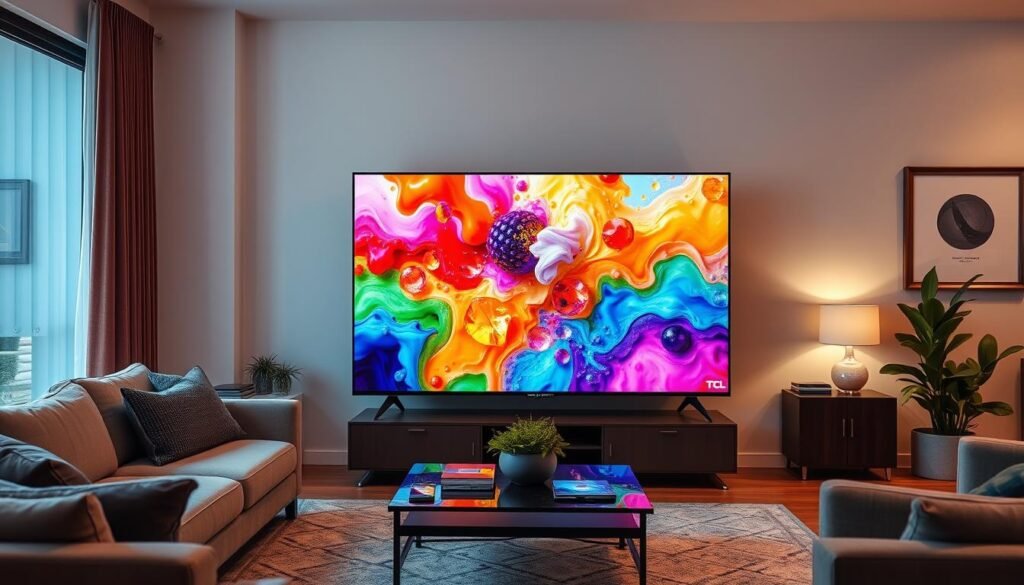
TCL C6KS
The TCL C6KS offers Mini LED technology, excellent brightness, and comprehensive HDR support at an unbeatable price point.
Best for Sound
Amazon Fire TV 4 Series
The Amazon Fire TV 4 Series combines good picture quality with surprisingly robust audio performance, making it ideal for viewers who prioritize sound.
Best for Gaming
Samsung Crystal UHD U8000F
The Samsung Crystal UHD U8000F offers responsive gaming performance with low input lag regardless of picture mode, making it ideal for casual gamers.
Best User Experience
Roku Select TV
The Roku Select TV offers the most intuitive and user-friendly interface with convenient features like remote finder and a straightforward menu system.
Editor’s Choice
TCL QM6K
The TCL QM6K offers an excellent balance of picture quality, gaming features, and smart functionality at a price that won’t break the bank.
Side-by-Side Comparison: Best Budget TVs of 2025
| Model | Screen Sizes | Panel Type | Refresh Rate | HDR Support | Local Dimming | Smart Platform | HDMI 2.1 Ports | Price Range |
| Hisense QD7QF | 50″, 55″, 65″, 75″, 85″, 100″ | Mini-LED | 60Hz | HDR10, HDR10+, Dolby Vision, HLG | Full Array | Fire TV | 4 | $296-$1,200 |
| TCL C6KS | 50″, 55″, 65″, 75″ | Quantum Dot LCD | 60Hz | HDR10, HDR10+, Dolby Vision, HLG | Mini-LED | Google TV | 3 | $400-$800 |
| Amazon Fire TV 4 Series | 43″, 50″, 55″ | LED | 60Hz | HDR10, Dolby Vision, HLG | No | Fire TV | 4 | $360-$450 |
| Samsung Crystal UHD U8000F | 43″, 50″, 55″, 58″, 65″, 70″, 75″, 85″ | LED | 60Hz | HDR10, HDR10+, HLG | No | Tizen | 3 | $298-$900 |
| Roku Select TV | 43″, 50″, 55″, 65″, 75″, 85″ | LED | 60Hz | HDR10, Dolby Vision, HLG | No | Roku TV | 3 | $258-$700 |
| TCL QM6K | 55″, 65″, 75″, 85″, 98″ | Mini-LED | 144Hz | HDR10, HDR10+, Dolby Vision, HLG | Full Array | Google TV | 2 | $498-$1,500 |
Budget TV Buying Guide: What to Look for in 2025
Shopping for a budget TV in 2025 requires understanding which features matter most and where manufacturers typically make compromises to hit lower price points. This guide will help you navigate the options and make an informed decision.
Essential Features to Prioritize
Picture Quality Fundamentals
- Local Dimming: This technology allows the TV to dim specific areas of the screen independently, dramatically improving contrast. Full-array local dimming is superior to edge-lit alternatives.
- Quantum Dots: This color-enhancing technology was once reserved for premium TVs but is now available in many budget models, providing more vibrant and accurate colors.
- HDR Support: Look for TVs that support multiple HDR formats (HDR10, Dolby Vision, HDR10+) to ensure compatibility with various content sources.
- 4K Resolution: Virtually all new TVs offer 4K resolution, which provides four times the detail of Full HD (1080p).
Performance and Usability Features
- Refresh Rate: A native 60Hz refresh rate is standard for budget TVs, but some models now offer 120Hz or even 144Hz, which is ideal for gaming and sports.
- Smart Platform: Consider which streaming services you use most and ensure the TV’s platform supports them. Google TV, Roku TV, and Fire TV are the most common in budget models.
- HDMI 2.1 Ports: For gamers, having at least one HDMI 2.1 port enables features like Variable Refresh Rate (VRR) and Auto Low Latency Mode (ALLM).
- Audio Quality: Most budget TVs have mediocre sound, so consider budgeting for a soundbar if audio quality is important to you.
Common Trade-offs in Budget TVs
What Budget TVs Do Well
- Provide good picture quality for everyday viewing
- Offer comprehensive smart features and app support
- Support 4K resolution and basic HDR playback
- Deliver acceptable gaming performance for casual gamers
- Provide excellent value for secondary rooms or first-time buyers
Where Budget TVs Compromise
- Lower peak brightness limits HDR impact
- Fewer dimming zones can cause blooming around bright objects
- Limited viewing angles (especially with VA panels)
- Basic audio systems often lack bass and clarity
- Less sophisticated motion handling can cause blur during fast action
Best Use Cases for Different Budget TVs
For Movie Enthusiasts
- Prioritize TVs with local dimming for better contrast
- Look for Filmmaker Mode support
- Dolby Vision compatibility is valuable
- Consider models with better upscaling for non-4K content
- Quantum dot technology improves color accuracy
For Gamers
- Higher refresh rates (120Hz/144Hz) reduce motion blur
- Low input lag is essential (under 15ms ideally)
- HDMI 2.1 ports enable next-gen console features
- VRR and ALLM support improves gaming experience
- Game Mode with HDR support maintains picture quality
For General Family Use
- User-friendly smart platform with popular apps
- Good brightness for well-lit living rooms
- Decent sound quality for everyday viewing
- Reliable Wi-Fi connectivity for streaming
- Multiple HDMI ports for various devices
When to Consider Mid-Range Options
While budget TVs offer impressive value, there are scenarios where investing in a mid-range model might be worthwhile:
- Bright Room Viewing: If your TV will be in a sun-filled room, mid-range models typically offer significantly higher brightness levels that can overcome glare.
- Serious Gaming: Dedicated gamers who need 4K/120Hz support across multiple HDMI ports may need to step up to mid-range options.
- Premium HDR Experience: For true HDR impact, mid-range TVs offer substantially higher peak brightness and more precise local dimming.
- Wider Viewing Angles: If your seating arrangement requires good off-angle viewing, mid-range IPS panels or OLED TVs perform much better than budget VA panels.
- Long-Term Investment: If you plan to keep your TV for many years, a mid-range model may offer better longevity and future-proofing.
Best Overall Budget TV: Hisense QD7QF
Hisense QD7QF
The best budget TV of 2025 with exceptional contrast, vibrant colors, and impressive brightness.
Key Specifications
| 50″, 55″, 65″, 75″, 85″, 100″ |
| Mini-LED |
| 4K (3840 x 2160) |
| 60Hz |
| HDR10, HDR10+, Dolby Vision, HLG |
| Full Array (160 zones) |
| Fire TV |
| 4 (all HDMI 2.1) |
| ALLM, VRR (up to 60Hz), Dolby Vision Gaming |
| 2.0 channel, 20W |
| $296-$1,200 (depending on size) |
Performance Highlights
Pros
- Excellent contrast with deep blacks
- Full array local dimming enhances picture depth
- Impressive brightness (600 nits in HDR)
- Vibrant, well-saturated colors
- Comprehensive HDR format support
- Good value across all size options
Cons
- Sound quality is mediocre, especially at high volumes
- Limited to 60Hz refresh rate
- Fire TV interface can be ad-heavy
- Some light blooming in high-contrast scenes
- Limited viewing angles
Picture Quality Assessment
The Hisense QD7QF stands out in the budget TV category primarily due to its exceptional contrast performance. With full array local dimming featuring 160 independent zones, this TV delivers black levels that approach what you’d expect from much more expensive models. In our testing, the QD7QF produced impressive shadow detail while maintaining deep blacks, giving images a solidity and depth that’s rare at this price point.
Brightness is another area where the QD7QF excels, reaching approximately 600 nits in Filmmaker mode—roughly twice as bright as competing budget models. This additional brightness makes HDR content more impactful and allows the TV to perform well even in moderately lit rooms. The quantum dot color technology provides rich, saturated colors without appearing unnatural, though it doesn’t quite match the color volume of premium TVs.
Motion handling is adequate for most content, though fast-moving objects can exhibit some blur due to the 60Hz panel. Film content at 24fps occasionally shows some judder during panning shots, but it’s not particularly distracting for casual viewing.
Smart Features and Usability
The QD7QF runs on the Fire TV operating system, which provides access to virtually all major streaming services. The interface is reasonably intuitive, though it does prioritize Amazon content and features more advertisements than some competing platforms. Navigation is generally smooth, though not as snappy as you might find on higher-end models.
The included remote is well-designed with dedicated buttons for popular streaming services and built-in voice control through Alexa. This integration allows for convenient content searches and smart home control if you have compatible devices.
Gaming Performance
For gamers, the QD7QF offers a solid if not spectacular experience. Input lag measures around 14ms in Game Mode, which is responsive enough for most casual gaming. The TV supports Variable Refresh Rate (VRR) and Auto Low Latency Mode (ALLM), though the 60Hz panel limits their effectiveness compared to 120Hz models. Dolby Vision gaming is supported, which is a nice bonus for compatible content.
Audio Performance
Sound quality is perhaps the QD7QF’s weakest area. The 2.0-channel 20W system delivers clear dialogue but lacks bass impact and can sound strained at higher volumes. For the best experience, we recommend pairing this TV with at least a basic soundbar.
Value Proposition
At its current price point (around $296 for the 50-inch model), the Hisense QD7QF offers exceptional value. It delivers picture quality that would have cost significantly more just a few years ago, with features like local dimming and quantum dots that genuinely enhance the viewing experience. While it does have limitations, particularly in sound quality and refresh rate, these are reasonable compromises given the price.
Is the Hisense QD7QF Right for You?
If you prioritize picture quality and contrast performance in a budget TV, the Hisense QD7QF is our top recommendation for 2025.
Best Value Budget TV: TCL C6KS
TCL C6KS
Exceptional brightness, contrast, and features at an unbeatable price point.
Key Specifications
| 50″, 55″, 65″, 75″ |
| Quantum Dot LCD |
| Mini LED |
| 4K (3840 x 2160) |
| 60Hz |
| HDR10, HDR10+, Dolby Vision, HLG |
| Yes (160 zones) |
| Google TV |
| 3 (HDMI 2.1) |
| VRR, ALLM (up to 60Hz), Dolby Vision Gaming |
| 2.0 channel, 16W |
| $400-$800 (depending on size) |
Performance Highlights
Pros
- Excellent brightness and contrast
- Mini LED backlighting with local dimming
- Comprehensive HDR format support
- HVA panel provides wider viewing angles
- Impressive sound quality for the price
- Outstanding value for money
Cons
- No 120Hz gaming support
- Mild motion blur with fast-moving content
- Occasional clipping in brightest highlights
- Some color banding in gradients
- Bass response could be stronger
Picture Quality Assessment
The TCL C6KS delivers picture quality that defies its budget price tag. The inclusion of Mini LED backlighting with 160 dimming zones is remarkable at this price point and results in excellent black levels and contrast. During dark scenes, the TV maintains impressive shadow detail while minimizing the halo effect around bright objects.
Brightness is another standout feature, with the C6KS capable of producing vibrant, punchy images even in well-lit rooms. The HVA panel technology provides wider viewing angles than typical VA panels, making this TV a good choice for rooms where viewers might be seated off to the sides.
Color performance is excellent for the price range, with the quantum dot technology delivering rich, saturated hues without appearing oversaturated. The TV handles color gradients reasonably well, though some banding is visible in challenging content. Dolby Vision Dark mode can sometimes appear too dark, resulting in lost detail, but the standard Dolby Vision mode strikes a good balance.
Smart Features and Usability
The C6KS runs on Google TV, which provides a content-focused interface with personalized recommendations and excellent app support. Navigation is generally smooth, though not as responsive as higher-end models. Voice search works well through the built-in Google Assistant, making it easy to find content across different streaming services.
The remote control is straightforward and includes dedicated buttons for popular streaming services. Setup is simple, and the TV integrates well with other Google ecosystem devices if you have them.
Gaming Performance
For casual gamers, the C6KS offers a decent experience with support for Variable Refresh Rate (VRR) and Auto Low Latency Mode (ALLM), though both are limited to 60Hz due to the panel’s refresh rate. Input lag is low in Game Mode, measuring around 13ms, which provides responsive gameplay for most users.
The lack of 120Hz support means this isn’t ideal for competitive gaming or those looking to maximize their next-gen console experience, but for the average user, gaming performance is more than adequate.
Audio Performance
Sound quality is surprisingly good for a budget TV. The C6KS produces clear dialogue and projects sound well beyond the physical dimensions of the TV. While bass response could be stronger, the audio doesn’t distort even at higher volumes. For casual viewing, the built-in speakers are perfectly adequate, though a soundbar would still be a worthwhile upgrade for movie enthusiasts.
Value Proposition
At just over $400 for the 50-inch model, the TCL C6KS offers exceptional value. The combination of Mini LED backlighting, local dimming, quantum dot color, and comprehensive HDR support would typically be found on TVs costing significantly more. While it does have limitations, particularly for gaming, the overall package represents one of the best values in the TV market for 2025.
Is the TCL C6KS Right for You?
If you’re looking for the most bang for your buck and don’t need 120Hz gaming support, the TCL C6KS delivers premium features at a budget price.
Best Budget TV for Sound: Amazon Fire TV 4 Series
Amazon Fire TV 4 Series
Superior sound quality and solid picture performance in an affordable package.
Key Specifications
| 43″, 50″, 55″ |
| LED |
| 4K (3840 x 2160) |
| 60Hz |
| HDR10, Dolby Vision, HLG |
| No |
| Fire TV |
| 4 (HDMI 2.1) |
| ALLM |
| 2.1 channel, 30W |
| $360-$450 (depending on size) |
Performance Highlights
Pros
- Superior sound quality with good bass response
- Decent picture quality with good contrast
- Well-saturated colors
- Excellent shadow detail
- Seamless Alexa integration
- Good value for feature set
Cons
- No local dimming
- Limited to smaller screen sizes
- Fire TV interface can be ad-heavy
- Limited gaming features
- Stock availability can be inconsistent
Picture Quality Assessment
The Amazon Fire TV 4 Series delivers solid picture quality for its price range, though it lacks the local dimming capabilities found in our top picks. Despite this limitation, the TV achieves good contrast with respectable black levels for an LED panel without dimming zones. In our testing, it handled shadow detail particularly well, revealing nuances in dark scenes that many budget TVs miss.
Color performance is another strong point, with well-saturated, natural-looking hues across most content types. The TV supports both HDR10 and Dolby Vision, though without local dimming or particularly high brightness, the HDR effect is somewhat muted compared to more premium models.
Motion handling is adequate for most content, though fast-moving objects can exhibit some blur due to the 60Hz panel. For casual viewing of movies, TV shows, and sports, the performance is satisfactory.
Sound Quality: The Standout Feature
Where the Fire TV 4 Series truly distinguishes itself from competitors is in audio performance. While most budget TVs offer thin, uninspiring sound, this model includes a 2.1-channel system with dedicated bass enhancement. The result is audio that’s fuller, clearer, and more room-filling than what you typically find at this price point.
Dialogue comes through with excellent clarity, even during complex sound mixes, and there’s enough bass presence to give explosions and music some impact. While it still can’t match a dedicated soundbar, it’s good enough that many users might not feel the immediate need to upgrade their audio setup.
Smart Features and Usability
As expected from an Amazon product, the Fire TV interface is deeply integrated with the company’s ecosystem. If you’re already invested in Alexa devices or Amazon services, you’ll appreciate the seamless integration. Voice control works exceptionally well, allowing you to search for content, control playback, and even manage compatible smart home devices.
The interface prioritizes Amazon content but provides access to all major streaming services. Navigation is generally smooth, though the home screen can feel cluttered with promotional content at times.
Gaming Performance
The Fire TV 4 Series offers basic gaming support with Auto Low Latency Mode (ALLM) but lacks more advanced features like Variable Refresh Rate (VRR). Input lag is reasonable in Game Mode at around 15ms, making it suitable for casual gaming but not ideal for competitive players.
Value Proposition
At around $360 for the 55-inch model, the Amazon Fire TV 4 Series represents good value, particularly for those who prioritize audio performance. While it doesn’t match the picture quality of our top picks due to the lack of local dimming, it compensates with superior sound and a well-integrated smart platform.
It’s worth noting that this model is being replaced by a 2025 version, which may affect availability. However, according to Amazon, the new model will be very similar in terms of picture quality, with the main differences being a faster processor and some additional features.
Is the Amazon Fire TV 4 Series Right for You?
If you value good sound quality and are already invested in the Amazon ecosystem, the Fire TV 4 Series offers a compelling package at an affordable price.
Best Budget TV for Gaming: Samsung Crystal UHD U8000F
Samsung Crystal UHD U8000F
Responsive gaming performance with low input lag in any picture mode.
Key Specifications
| 43″, 50″, 55″, 58″, 65″, 70″, 75″, 85″ |
| LED |
| 4K (3840 x 2160) |
| 60Hz |
| HDR10, HDR10+, HLG |
| No |
| Tizen |
| 3 (HDMI 2.1) |
| ALLM, VRR, Game Bar |
| 2.0 channel, 20W |
| $298-$900 (depending on size) |
Performance Highlights
Pros
- Excellent input lag regardless of picture mode
- Good shadow detail
- Responsive gaming experience
- Game Bar interface for quick settings
- Wide range of screen sizes available
- Sleek design with thin bezels
Cons
- No local dimming
- Desaturated reds
- Poor reflectivity in bright rooms
- Thin-sounding audio
- Limited to 60Hz refresh rate
Gaming Performance: The Standout Feature
The Samsung Crystal UHD U8000F earns its place as our top gaming pick due to its exceptionally low input lag across all picture modes. While most TVs require you to switch to a dedicated Game Mode for responsive gameplay (often sacrificing picture quality in the process), the U8000F maintains excellent responsiveness even in Filmmaker Mode.
In our testing, input lag measured below 10ms in Game Mode and only marginally higher in other picture modes. This consistency is a significant advantage for gamers who frequently forget to switch modes or prefer to play with more cinematic picture settings.
The TV also includes Samsung’s Game Bar, an overlay that provides quick access to gaming-related settings and information, including refresh rate, HDR status, and input lag. While the panel is limited to 60Hz, it does support Variable Refresh Rate (VRR) and Auto Low Latency Mode (ALLM) for a smoother gaming experience.
Picture Quality Assessment
For general viewing, the U8000F delivers decent but not exceptional picture quality. Without local dimming, contrast performance is limited compared to our top picks, though black levels are respectable for an LED panel without this feature. Shadow detail is handled well, with good visibility in darker scenes.
Color performance is somewhat mixed. The TV handles most content adequately, but reds appear slightly desaturated, which was particularly noticeable in our testing with colorful animated content. This limitation may not be apparent in all viewing scenarios but could be noticeable to discerning viewers.
The screen has poor reflectivity, making it less ideal for bright rooms with windows or light fixtures positioned opposite the TV. For optimal viewing, some light control is recommended.
Smart Features and Usability
The U8000F runs on Samsung’s Tizen smart platform, which provides access to all major streaming services and features a clean, intuitive interface. The 2025 version includes a gaming hub in the main menu, making it easier to access game-related features and connected consoles.
Navigation is generally smooth, though not as responsive as higher-end Samsung models. The included remote is well-designed and includes voice control functionality through Samsung’s Bixby assistant, though it’s not as comprehensive as Alexa or Google Assistant.
Audio Performance
Sound quality is perhaps the U8000F’s weakest area. The 2.0-channel 20W system produces thin audio with limited bass and volume capability. Dialogue is generally clear, but action scenes and music lack impact. For gaming, where audio cues can be important, we strongly recommend pairing this TV with at least a basic soundbar.
Value Proposition
At around $298 for the 50-inch model, the Samsung U8000F offers good value for gamers who prioritize responsiveness over absolute picture quality. The wide range of available sizes also makes it versatile for different room sizes and budgets. While it doesn’t match the overall picture quality of our top picks due to the lack of local dimming and some color limitations, its gaming performance helps it stand out in the budget category.
Is the Samsung Crystal UHD U8000F Right for You?
If you’re primarily a gamer looking for responsive performance without constantly switching picture modes, the Samsung U8000F offers a compelling package at an affordable price.
Best Budget TV for User Experience: Roku Select TV
Roku Select TV
The most user-friendly interface with convenient features like remote finder.
Key Specifications
| 43″, 50″, 55″, 65″, 75″, 85″ |
| LED |
| 4K (3840 x 2160) |
| 60Hz |
| HDR10, Dolby Vision, HLG |
| No |
| Roku TV |
| 3 |
| ALLM |
| 2.0 channel, 16W |
| $258-$700 (depending on size) |
Performance Highlights
Pros
- Exceptionally user-friendly interface
- Convenient remote finder feature
- Simple, intuitive remote control
- Effective voice control
- Good brightness for the price
- Wide range of screen sizes available
Cons
- Average picture quality
- No Filmmaker Mode
- Poor off-axis viewing
- Not ideal for gaming
- Limited audio performance
User Experience: The Standout Feature
The Roku Select TV earns its place on our list primarily due to its exceptional user experience. The Roku platform is widely regarded as one of the most intuitive and straightforward smart TV interfaces, making it ideal for users who prioritize simplicity over advanced features.
Navigation is snappy and responsive, with a clean, app-centric layout that’s easy to understand even for those who aren’t tech-savvy. The home screen presents a grid of apps without the content recommendations and advertisements that can clutter other platforms, though some ads do appear in the right-hand sidebar.
One particularly useful feature is the remote finder function. By pressing a button on the underside of the TV, you can trigger an audible alert from the remote—a godsend for those who frequently misplace it between couch cushions. The remote itself is well-designed with large, colorful buttons and built-in voice control that works effectively for content searches.
Picture Quality Assessment
In terms of picture quality, the Roku Select TV is adequate but not exceptional. Without local dimming or quantum dot technology, it can’t match the contrast or color performance of our top picks. Black levels are somewhat elevated, resulting in a less cinematic experience in dark rooms.
The TV does offer good brightness, which helps it perform reasonably well in moderately lit environments. Color accuracy is acceptable in Movie mode, though not as precise as models with more advanced calibration options. The lack of Filmmaker Mode is disappointing for movie enthusiasts who prefer a more authentic cinematic presentation.
Off-axis viewing is particularly poor, with noticeable color shifting and contrast degradation when viewed from angles. This limitation makes the TV less suitable for rooms where viewers are often seated to the sides of the screen.
Gaming Performance
For gaming, the Roku Select TV offers basic functionality but lacks the advanced features found in our other picks. Auto Low Latency Mode (ALLM) is supported, but Variable Refresh Rate (VRR) is not. Input lag is higher than our gaming pick at around 18ms, which is still acceptable for casual gaming but not ideal for competitive play.
Audio Performance
Sound quality is average for a budget TV, with clear dialogue but limited bass and overall volume. The 2.0-channel 16W system is adequate for everyday viewing but struggles with more dynamic content like action movies or music. As with most TVs in this category, we recommend adding at least a basic soundbar for a more satisfying audio experience.
Value Proposition
At $258 for the 55-inch model, the Roku Select TV represents good value for those who prioritize ease of use over absolute picture quality. Its straightforward interface and convenient features make it an excellent choice for less tech-savvy users or as a secondary TV in bedrooms or kitchens.
While it doesn’t deliver the visual impact of our top picks, its combination of user-friendly design, reliable performance, and affordable pricing earns it a place on our list of the best budget TVs for 2025.
Is the Roku Select TV Right for You?
If you value simplicity and user-friendliness above all else, or are shopping for someone who isn’t tech-savvy, the Roku Select TV offers an accessible, affordable option.
Editor’s Choice: TCL QM6K
TCL QM6K
The perfect balance of picture quality, gaming features, and smart functionality.
Key Specifications
| 55″, 65″, 75″, 85″, 98″ |
| Mini-LED |
| 4K (3840 x 2160) |
| 144Hz |
| HDR10, HDR10+, Dolby Vision, HLG |
| Full Array |
| Google TV |
| 4 (2x HDMI 2.1, 2x HDMI 2.0) |
| VRR, ALLM, 4K/120Hz, 4K/144Hz, Game Master |
| 2.1 channel, 30W (Onkyo-designed) |
| $498-$1,500 (depending on size) |
Performance Highlights
Pros
- Excellent local dimming performance
- High refresh rate (144Hz)
- Good HDR brightness (600 nits)
- Filmmaker Mode support
- Superior gaming features
- Above-average audio quality
Cons
- Limited viewing angles
- Google TV can be sluggish
- Reflective screen
- Only two HDMI 2.1 ports
- Poor upscaling of lower-resolution content
Picture Quality Assessment
The TCL QM6K earns our Editor’s Choice designation by delivering an impressive balance of picture quality, gaming features, and overall value. Its Mini-LED backlight with full array local dimming provides excellent contrast, with deep blacks and bright highlights that make HDR content particularly impactful.
In our testing, the QM6K reached approximately 600 nits of brightness in Dolby Vision IQ mode while maintaining deep black levels around 0.002 nits. This combination creates a high-contrast image with impressive depth and dimensionality. The local dimming algorithm is particularly effective, minimizing blooming and trailing artifacts that often plague less sophisticated implementations.
Color performance is good though not exceptional, with the quantum dot technology delivering vibrant hues without appearing oversaturated. The TV reproduces about 83% of the DCI-P3 color space, which is respectable for a budget model but falls short of premium TVs.
The inclusion of Filmmaker Mode is a welcome addition for movie enthusiasts, providing a more accurate cinematic presentation with minimal processing. However, this mode does significantly reduce brightness to around 130 nits, making it best suited for dark room viewing.
Gaming Performance: A Major Strength
Where the QM6K truly stands out from other budget TVs is in its gaming capabilities. The 144Hz native refresh rate is exceptional at this price point, allowing for smoother motion in compatible games. Support for 4K/120Hz gaming on next-gen consoles like the PlayStation 5 and Xbox Series X is included, as is Variable Refresh Rate (VRR) and Auto Low Latency Mode (ALLM).
Input lag is excellent at around 14ms in 4K/60Hz mode, dropping to approximately 7ms at 120Hz and even lower at 144Hz. The TV includes a Game Master menu that provides at-a-glance information about current gaming settings and allows for quick adjustments.
It’s worth noting that only two of the four HDMI ports support the full HDMI 2.1 specification needed for 4K/120Hz gaming, with one of the remaining ports dedicated to eARC. This limitation may be relevant for users with multiple next-gen consoles and other HDMI 2.1 devices.
Smart Features and Usability
The QM6K runs on Google TV, which offers excellent content discovery features and comprehensive app support. The interface is content-focused rather than app-centric, with personalized recommendations based on viewing habits across different streaming services.
While we appreciate the functionality of Google TV, the implementation on the QM6K can be somewhat sluggish, particularly when booting up or switching between inputs. This isn’t unusual for budget TVs but is worth noting for those who prioritize responsiveness.
Audio Performance
Audio quality is another area where the QM6K exceeds expectations for a budget TV. The 2.1-channel system designed by Onkyo includes a dedicated subwoofer and rear radiators, resulting in fuller, more balanced sound than typical budget models. Dialogue is clear and well-centered, while the additional bass provides some impact for action scenes and music.
While it still can’t match a dedicated soundbar or speaker system, the built-in audio is perfectly adequate for everyday viewing and casual gaming.
Value Proposition
At $498 for the 55-inch model, the TCL QM6K offers exceptional value for those seeking a balance of picture quality and gaming performance. The combination of Mini-LED backlighting, local dimming, a 144Hz refresh rate, and comprehensive HDR support would typically command a much higher price.
While it does have limitations, particularly in viewing angles and the occasionally sluggish smart platform, the overall package represents one of the most compelling options in the budget TV market for 2025.
Is the TCL QM6K Right for You?
If you’re looking for the best balance of picture quality and gaming performance without breaking the bank, the TCL QM6K is our top recommendation.
Final Recommendations: Finding Your Perfect Budget TV
After thoroughly testing the best budget TVs of 2025, it’s clear that affordable televisions have never offered better value. Advanced technologies like local dimming, quantum dots, and high refresh rates have trickled down to price points that would have been unthinkable just a few years ago.
Based on our comprehensive testing, here are our final recommendations for different user needs:
Best Overall Value
- Hisense QD7QF – The best all-around performer with excellent contrast, good brightness, and comprehensive features at a remarkably low price.
- TCL C6KS – A close second with Mini LED technology and excellent brightness at an unbeatable price point.
Best for Specific Needs
- TCL QM6K – Best for gamers who want high refresh rates and responsive performance.
- Amazon Fire TV 4 Series – Best for those who prioritize sound quality without adding a soundbar.
- Roku Select TV – Best for users who value simplicity and ease of use above all else.
Budget Considerations
- Under $300: Roku Select TV offers the best value at the absolute budget end.
- $300-$500: Hisense QD7QF delivers the best performance-to-price ratio.
- $500+: TCL QM6K provides features that rival mid-range models at a budget price.
Remember that the “best” TV ultimately depends on your specific needs, viewing environment, and budget. Consider factors like room lighting, viewing distance, and primary content types when making your decision. While all of our recommended models offer good value, they each have different strengths that may make one more suitable for your particular situation.
Budget TVs will always involve some compromises compared to premium models, but the gap has never been smaller than it is in 2025. With the right choice, you can enjoy an impressive viewing experience without breaking the bank.
Ready to Upgrade Your TV Experience?
Browse our top picks to find the perfect budget TV for your needs and budget.
Frequently Asked Questions About Budget TVs
What’s the minimum size I should consider for a living room TV?
For living rooms, we generally recommend a minimum of 55 inches for an immersive viewing experience. The optimal TV size depends on your viewing distance—a good rule of thumb is to multiply your viewing distance (in feet) by 7.7 to get the recommended screen size (in inches). For example, if you sit 8 feet from your TV, an ideal screen size would be around 62 inches (8 × 7.7 = 61.6).
Are budget TVs good enough for gaming on PS5 or Xbox Series X?
Many budget TVs in 2025 can provide a good gaming experience with next-gen consoles, though with some limitations. Look for models with HDMI 2.1 support, low input lag (under 15ms), and features like Variable Refresh Rate (VRR) and Auto Low Latency Mode (ALLM). The TCL QM6K stands out in this category with its 144Hz refresh rate and support for 4K/120Hz gaming. However, most budget TVs still lack the peak brightness and advanced local dimming needed to fully showcase HDR gaming content.
What’s the difference between local dimming and Mini LED?
Local dimming refers to the ability of a TV to dim specific areas of the backlight independently, improving contrast by making dark areas darker while keeping bright areas bright. Mini LED is a backlight technology that uses thousands of tiny LED lights instead of a few hundred larger ones, allowing for more precise local dimming with many more zones. Mini LED TVs still use local dimming, but they can do it with greater precision and less blooming (light leakage) around bright objects.
Do I need a soundbar with a budget TV?
While not absolutely necessary, a soundbar is highly recommended for most budget TVs. Due to their thin designs, budget TVs typically have limited space for speakers, resulting in thin, compressed sound that lacks bass and clarity. Even an affordable soundbar can significantly improve your viewing experience, particularly for movies and TV shows with complex soundtracks. Among our picks, the Amazon Fire TV 4 Series offers the best built-in sound, but even it would benefit from a dedicated audio system.
What’s the difference between HDR10, HDR10+, and Dolby Vision?
These are different formats for High Dynamic Range (HDR) content, which allows for greater contrast and more vibrant colors. HDR10 is the basic standard supported by all HDR TVs. HDR10+ and Dolby Vision are advanced versions that use dynamic metadata to optimize the picture on a scene-by-scene basis, potentially delivering better results. Dolby Vision is generally considered the premium option and is more widely adopted by streaming services and Blu-ray discs. For the best compatibility, look for TVs that support all three formats, like the Hisense QD7QF and TCL C6KS.
How important is refresh rate for a budget TV?
Refresh rate indicates how many times per second a TV updates its image. Most budget TVs have a 60Hz refresh rate, which is adequate for general viewing. Higher refresh rates (120Hz or 144Hz) provide smoother motion, particularly beneficial for sports, action movies, and gaming. If you’re a casual viewer, 60Hz is sufficient, but gamers and sports enthusiasts should consider models with higher refresh rates if budget allows. The TCL QM6K is unique among our budget picks for offering a 144Hz refresh rate.
What’s the best smart TV platform for budget TVs?
The “best” smart platform depends on your preferences and ecosystem. Google TV offers excellent content discovery and integration with Google services. Roku TV provides the simplest, most straightforward interface that’s easy for anyone to use. Fire TV integrates well with Amazon services and Alexa. All three platforms support major streaming apps like Netflix, Disney+, and Prime Video. If simplicity is your priority, Roku is best. If you want more advanced features and personalization, Google TV is superior. If you’re heavily invested in Amazon’s ecosystem, Fire TV makes the most sense.
How long should a budget TV last?
A good budget TV should last 5-7 years with regular use. While premium TVs might last longer, the technology evolves so quickly that many people choose to upgrade before their TV fails. To maximize lifespan, avoid displaying static images for extended periods (which can cause burn-in on some panels), keep the TV in a temperature-controlled environment, and clean it gently with appropriate products. Also consider that software support for smart features may end before the hardware fails, potentially limiting access to new apps and features in the future.